— David DeWitt
Archive for the ‘How to Post’ Category
Authors!
02
Dec
Would our esteemed and wonderful authors please choose at least one or two additional categories for your Posts? It will help readers find posts related to a particular area of interest. Just tick a second, third, or more category name where your post might fit! It would help me a lot, and be much appreciated.
If you have a category suggestion, please contact me. You can do this quickly by using the Report Comment link to your own comment and I will see it easily.
Thanks, everybody!
— David DeWitt
How to Add Photos to Posts!
26
Jun
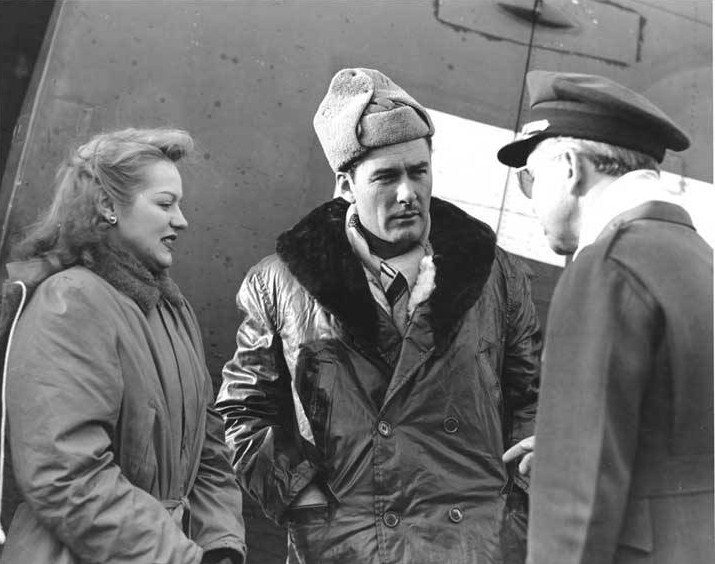
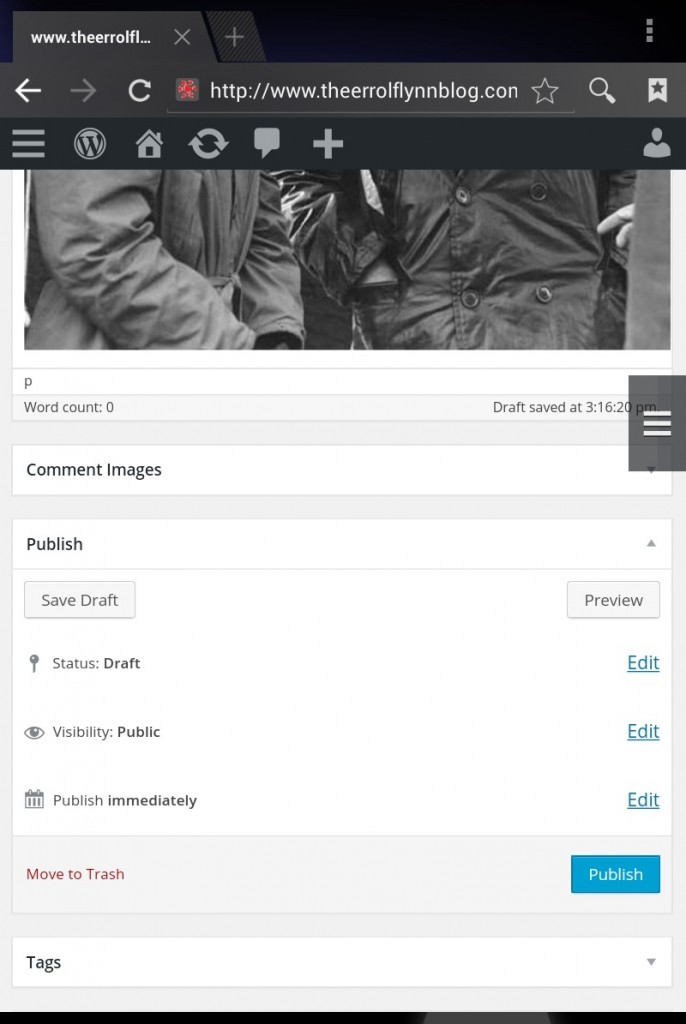
These are the steps to add Photos to your Posts if you are an Author on this blog like the one above.
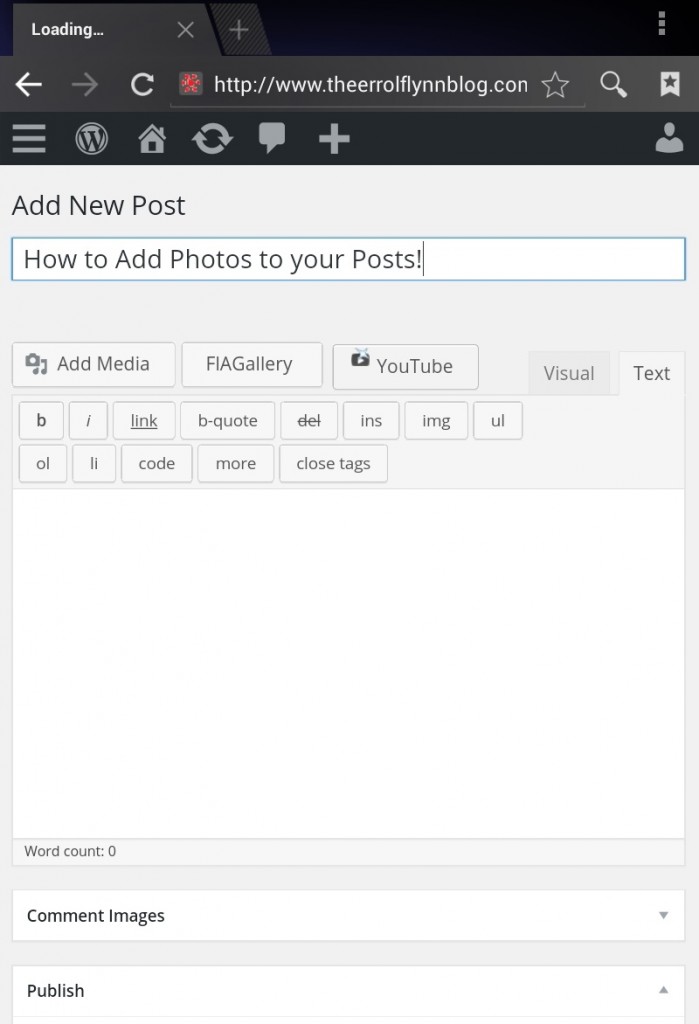
On the Add New Post page, add your title to your new post. Click the Add Media button on your toolbar.
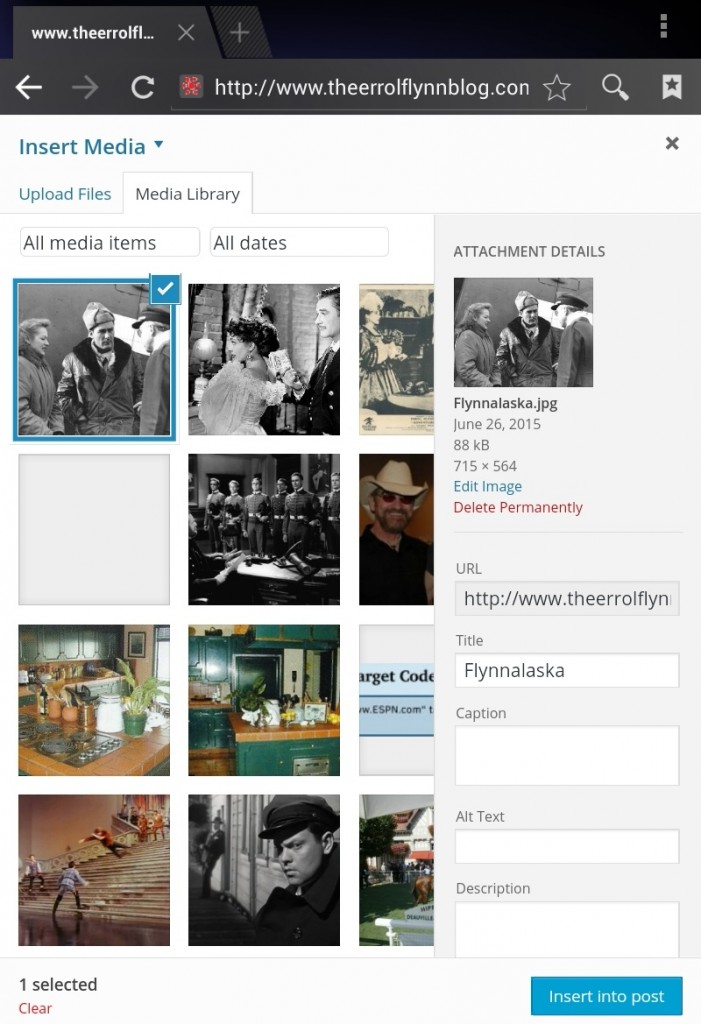
Click Upload files in the Media Library.
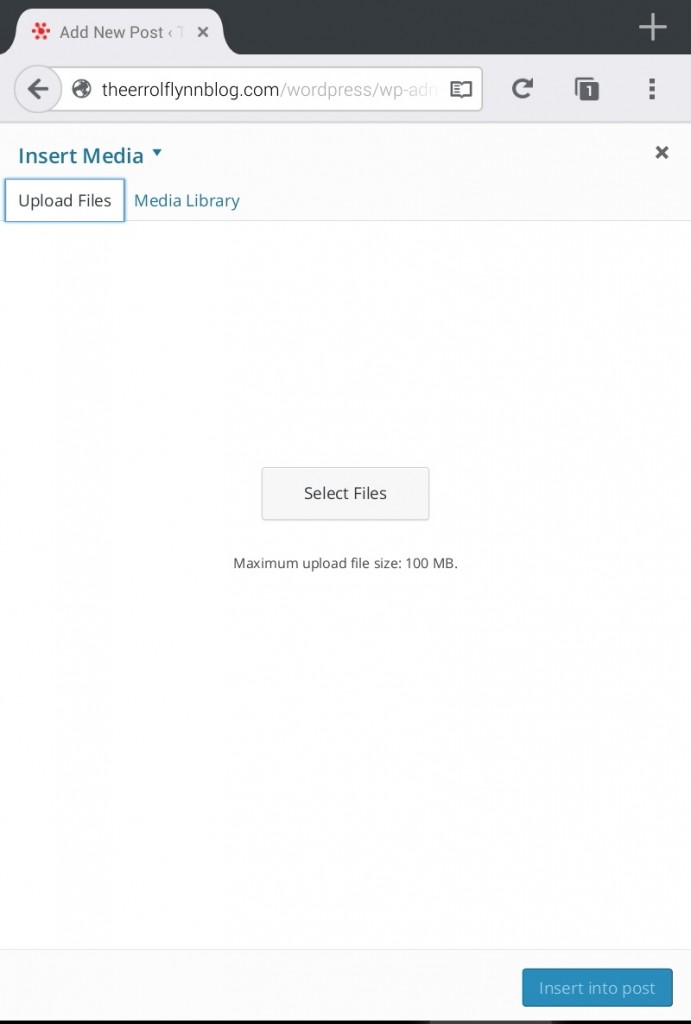
Click Select Files.
Select Source from your device.
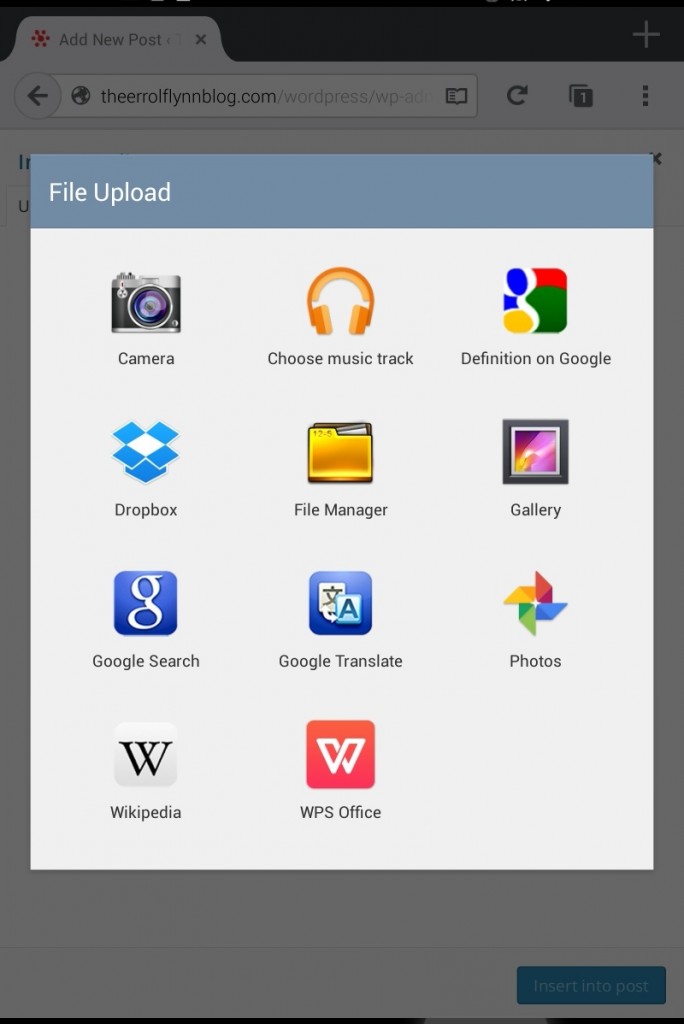
Select an Image. The image will be uploaded to the Media Library.
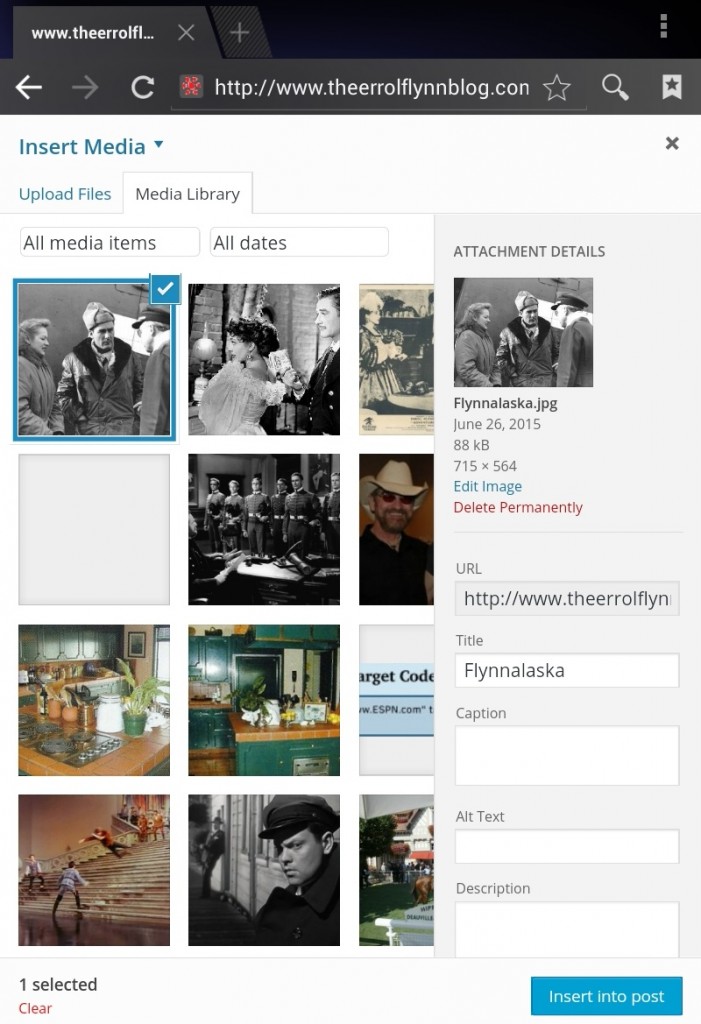
After it uploads, you can see what the image address is, and chose to link the image to another web site. Click Insert into Post. The image will be added to your post.
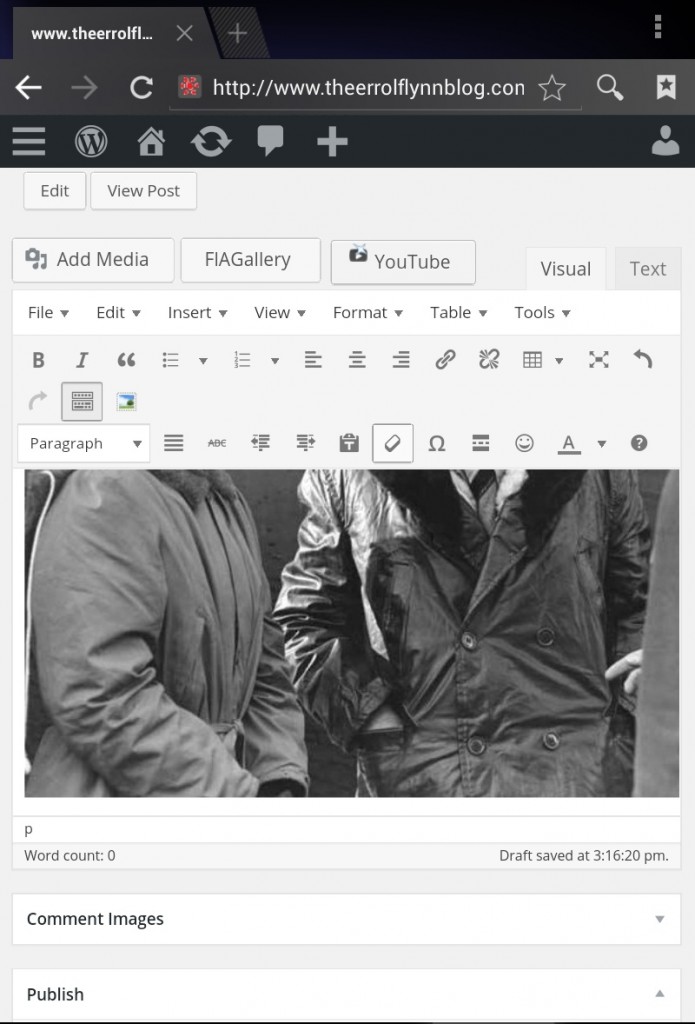
Now you can click the image to edit it, if you like. Finished, you may chose to publish. If you want the post to appear in more than one place, select one or more other categories before you publish.
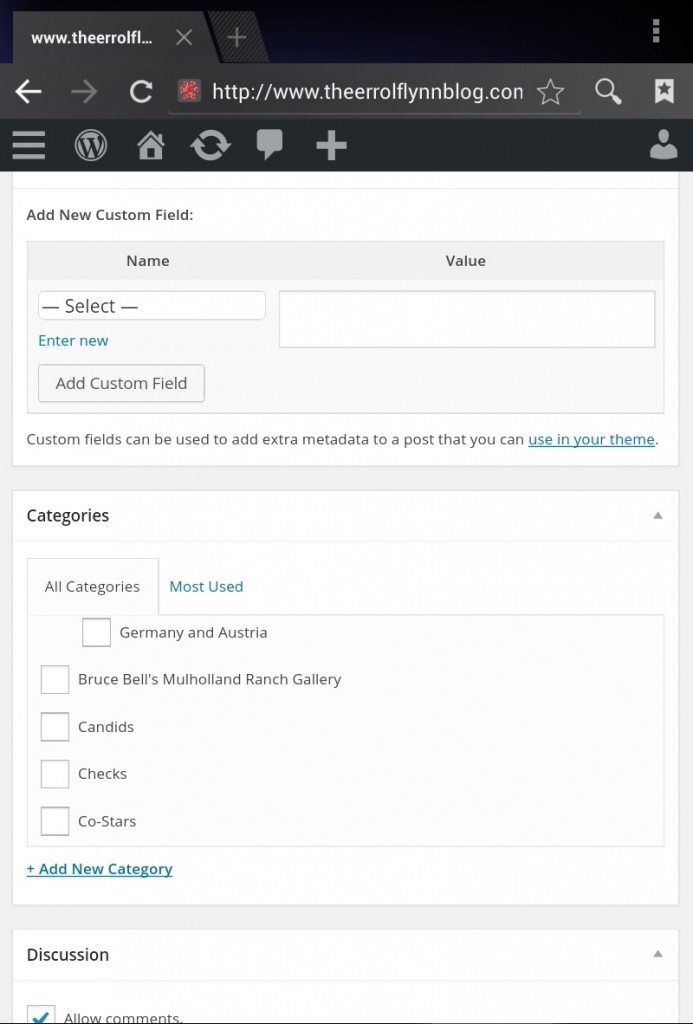
If you are ready, click Publish.
Multiple pictures can be added to one posting by repeating the steps. You can look at the post window in the Visual or Text mode.
— David DeWitt
New YouTube Pluggin added!
22
Oct
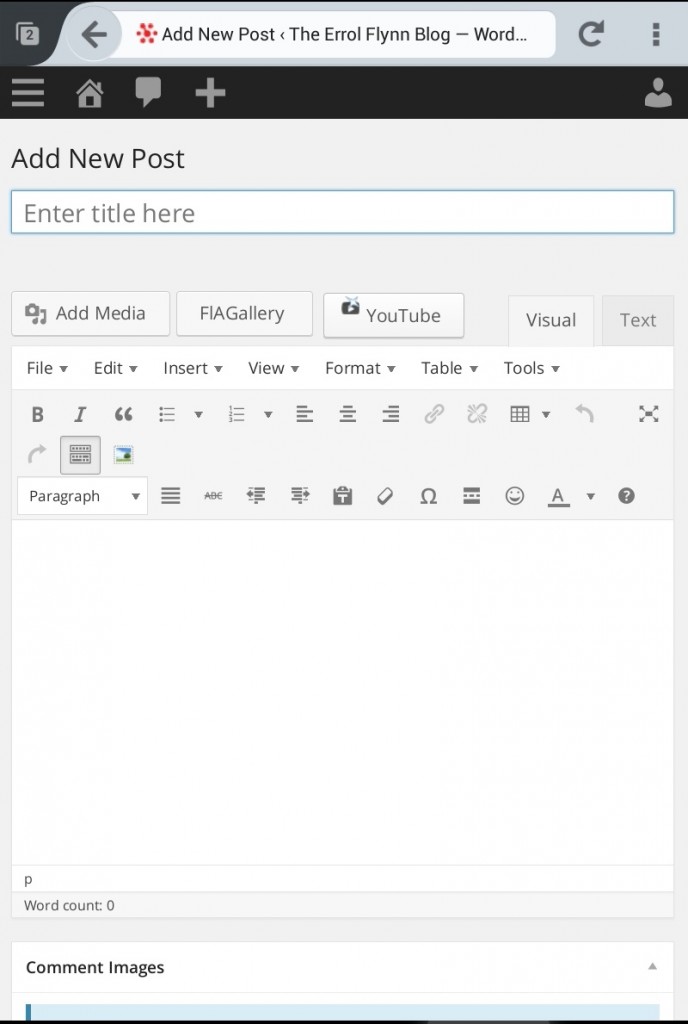
On your Author toolbar above the Posting window you’ll see a new link to brouse for and add relevant YouTube videos to your posts! Best used in the Visual tab, I think. Let me know if you have any problems with it in your browser?
— David DeWitt
How to insert a text link into your post!
22
Oct
Turn those long ugly urls into text links!
[embedyt]http://www.youtube.com/watch?v=uw0VF3qDjFE[/embedyt]
— David DeWitt
How to Post to this Blog
11
Feb
If you have POSTING PRIVILEGES on this blog:
Sign in with your Username and Password.
What follows is what was written on the former location of The Errol Flynn Blog but applies here, as well. It will be edited and added to as time permits.
Attachements are allowed inside your posts. Please understand that this blog does not provide virus protection for the contents of any attachment created by its authors. The blog site or its Administrator will not be responsible for any damages or problems whatsoever occurring because you opened an attachment downloaded from any link on this blog, or its satellite websites. Use your own virus software to scan any attachment before opening it!
You may write your post in Word, Notepad or most text editors and paste it into the Post Article area to achieve justified text, or other effects and fonts not included in the blog’s post editor’s box.
Please don’t use large font sizes or bold text throughout your post. This is difficult to read, and takes up more space than needed on the screen. We strive to keep a balanced look to the way posts look on this blog.
You may include images, links, and attachments.
Any contributor may be banned or blocked after posting anything that in the mind of the Administrator is pornographic, or contains Spam. Spam blocking software is active on this blog but may not catch all material that is posted or that activates the Spam blocker. It’s also possible (though rarely) that the title or the wording of your post may trigger the Spam blocker. We’ll deal with it, if it happens.
Use common sense when posting. We are all adults, hopefully, but keep it to a dull roar folks! There is no age limit restricting who is reading this blog, so just be aware that someone of impressionable age may be reading what you post.
Additionally, it is fine to discuss Flynn’s religion or politics but not your own. Such posts or comments will be deleted by the Administrator if they are deemed to cross this line of discussion – thanks for understanding. While each of us may have dearly held feelings about our own religion or politics we are not here to discuss them.
The blog is set up by default to post articles published in categories on the Front Page. Any posting to our list of categories will show up on the Front Page as well as the category you selected for it. Please do publish articles in our categories if they fit within them. This will make them available to readers browsing our categories. Your posting to a category will show up as Recent Posts on the blog.
You can select a second or third or more categories for publication of your post. If none apply, do nothing, all Posts are published on the front page automatically without selecting a category. Ignore the Main Page category that you will see farther down the list of categories. There are two categories named Main Page. One is ticked by default. Leave this alone. The second one is a holdover from our last blog host, and years of content would be lost if it didn’t exist. But don’t post to it, or your post won’t be seen at the front page of the blog. I know this is confusing but we migrated from another host and things got jumbled up. It won’t be a problem most of the time!
We are using a plugin that prevents articles published in certain categories on the blog from appearing on the Front Page (that used to be in separate folders) and if they were not excluded content in them would be thrown to the Front Page like any other posting. For the most part this won’t be much of a concern. If you have any problems publishing to the category or front page, just let me know!
TIP: Select MOST USED tab to bring the most used categories tick boxes to the top of the list.
Email zacapublishing (at) gmail.com… with concerns or questions.
Regards,
David DeWitt—Administrator
— David DeWitt